

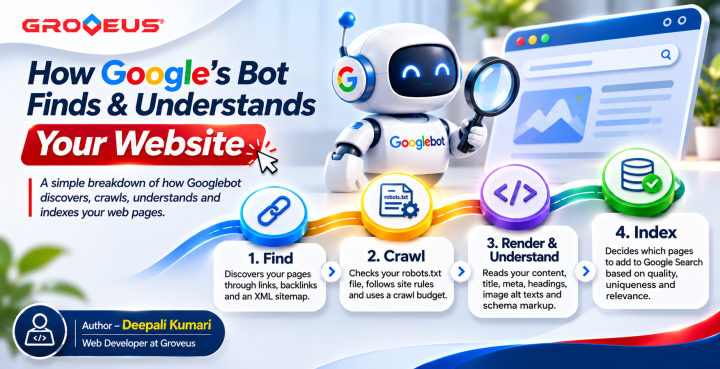
Learn how Googlebot discovers, crawls, understands and indexes website pages. Explore the role of internal links, robots.txt, website content, structured data and technical SEO in improving search visibility.
Have you ever launched a new website and noticed that Google isn’t showing it? This has happened to many websites and the problem can often be down to how Google’s Bot works.
1: Find
Google’s bot starts with discovering your pages. It uses a bot called Googlebot, which follows links from one page to another, just like you’d click through a site. If other websites link to you, or if you’ve submitted an XML sitemap in Search Console, Googlebot finds you faster. A page with no links pointing to it? It might never get noticed. So in-short, Sitemap speeds up the process of discovering new pages.
2. Crawl
Before Googlebot visits your page, it will crawl your robots.txt file. If there is any errors within the Disallow section of the file you will encounter issues crawling certain directories. You also need to be mindful of your crawl budget. If your server is responding too slowly or you have redirects and broken links it will impact your crawl budget.
3. Render & Understand
Once Google has crawled your page, it will understand what your page is about. Using all of the information such as title tag, meta description, h1 header, subheadings, body content, image alt texts and schema markup. Be sure to have a primary keyword on each page, use secondary keywords and include structured data to help Google understand your business, services and location. Some content may also depend on JavaScript so ensure that you are serving text in HTML.
4. Index
Not all pages will be indexed. If you have duplicate content, thin content, incorrect canonical tags or left your page to no-index then this will happen. To fix this issue head to the Pages report within Search Console and identify why your page has been labelled as ‘Crawled – currently not indexed’ or ‘Discovered – currently not indexed’.
Final Thoughts
Firstly, you need to make sure Google can find, crawl, render and index your page. Once these fundamentals have been sorted then you can work on improving the quality of your content, matching the intent and building authority. Technical SEO will not improve a poor page but will keep your good page visible.
Comments 0